AI motion transfer & face swap

Make anyone dance.

Upload one photo. Pick a dance or drop in any reference video. Genjutsu transfers every step, spin and hand gesture onto your character — face, outfit and style locked from the first frame to the last.

Input
1 photo
Clip length
3–30 s
Output
Up to 1080p
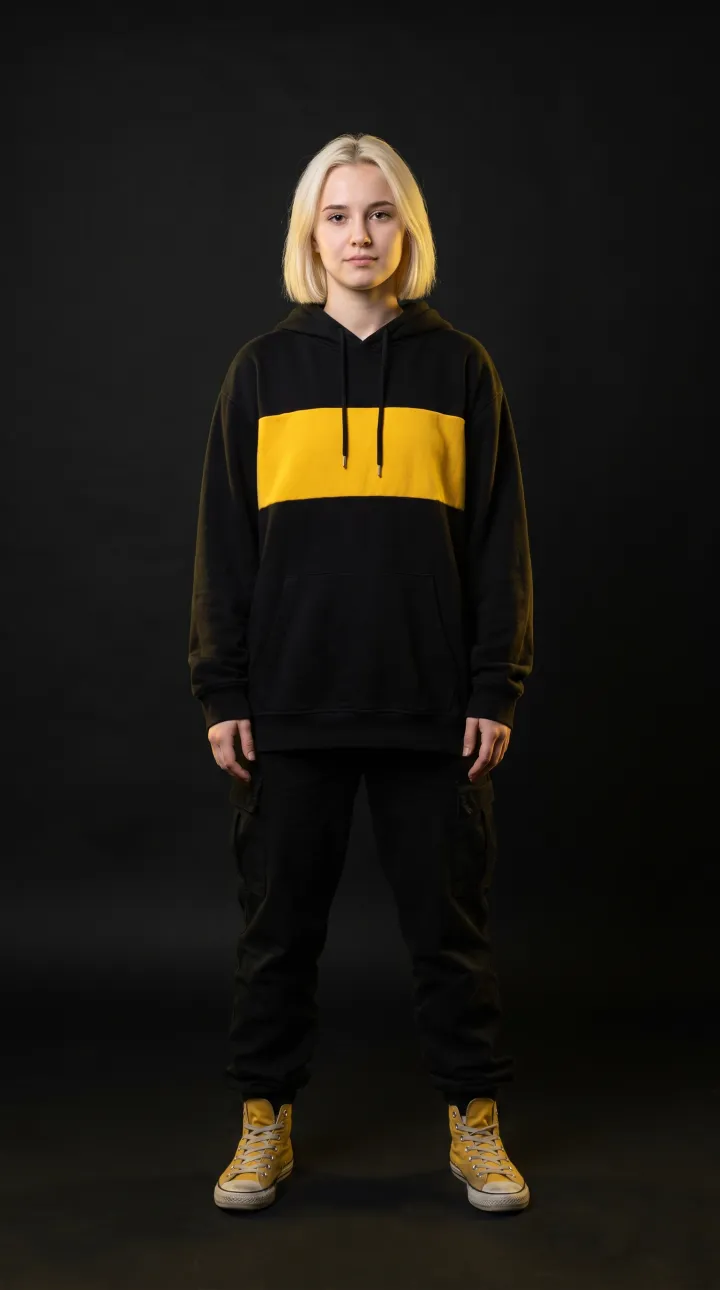
Source photo: street dancer in a black and yellow hoodie
01 · Photo
02 · Motion
03 · Genjutsu
Showcase · rendered with Genjutsu

Four characters. Two dances. Zero mocap.

Every clip below started as a single still image. We fed each one a reference dance and let the engine do the rest — no rigging, no keyframes, no green screen. Toggle Source to see the original performance.

Motion Transfer01
Source photo: Street dancer

Street dancer × Hip-hop groove

A single studio photo of a street dancer, driven by a hip-hop reference clip. Footwork, arm waves and the final freeze are transferred frame by frame while her face, hair and outfit stay locked.

  • Photoreal
  • Hip-hop groove
  • 10 s · 720p
Motion Transfer02
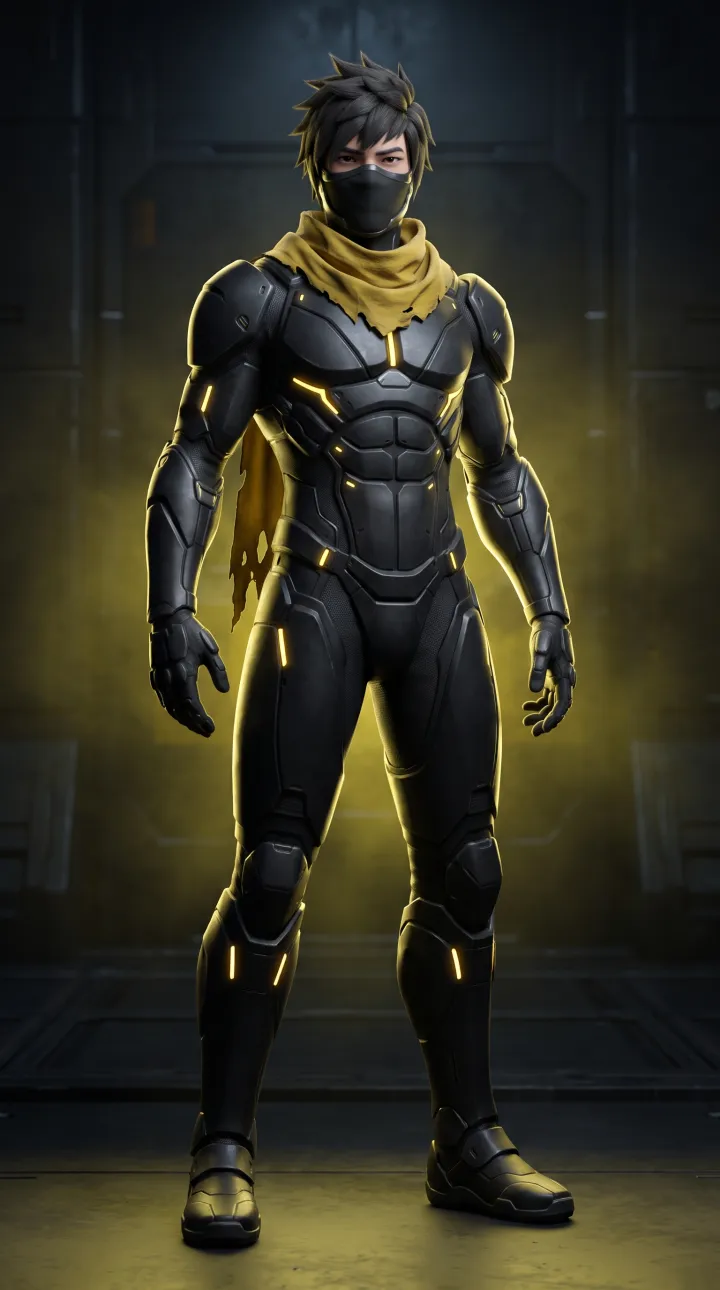
Source photo: Cyber ninja

Cyber ninja × K-pop flow

A 3D-rendered armored character learns a K-pop routine. Genjutsu maps body rolls and shoulder isolations onto rigid armor without melting the glowing seams.

  • 3D render
  • K-pop flow
  • 10 s · 720p
Motion Transfer03
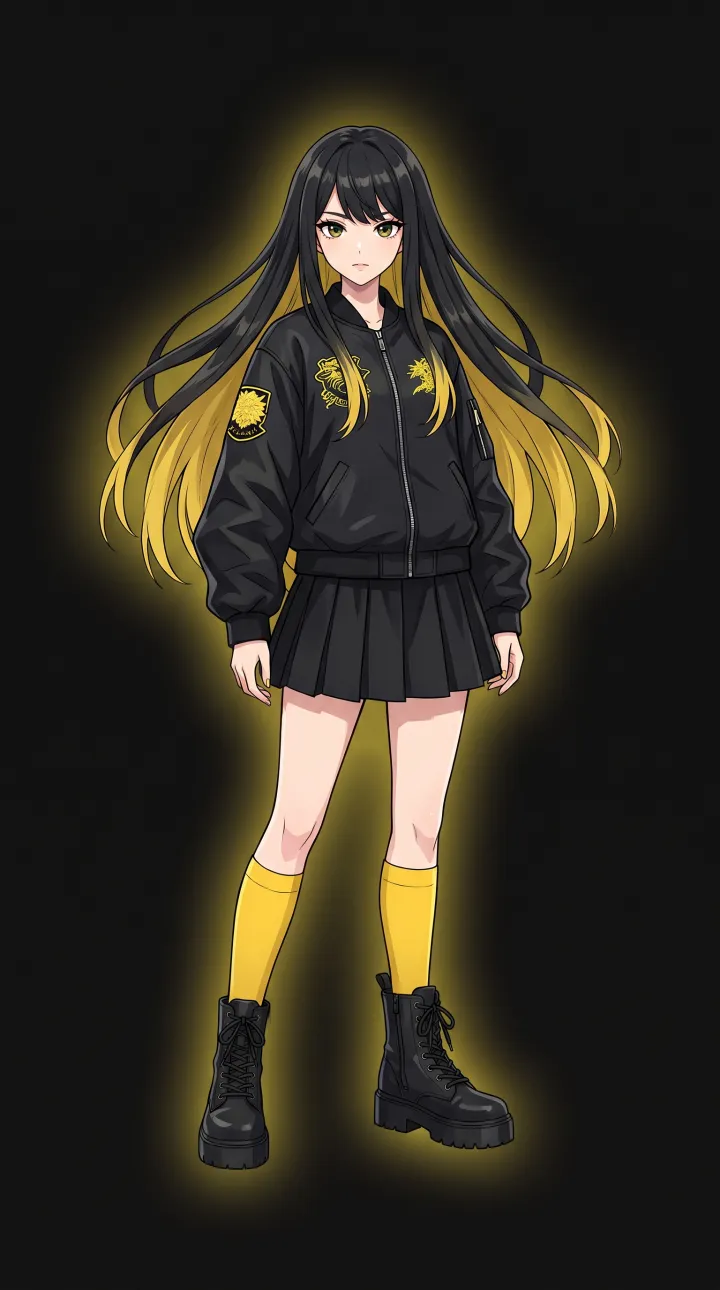
Source photo: Anime idol

Anime idol × K-pop flow

Cel-shaded illustration in, cel-shaded dance out. Style is preserved end to end, so an anime character moves like an anime character — not a filtered human.

  • Anime
  • K-pop flow
  • 10 s · 720p
Motion Transfer04
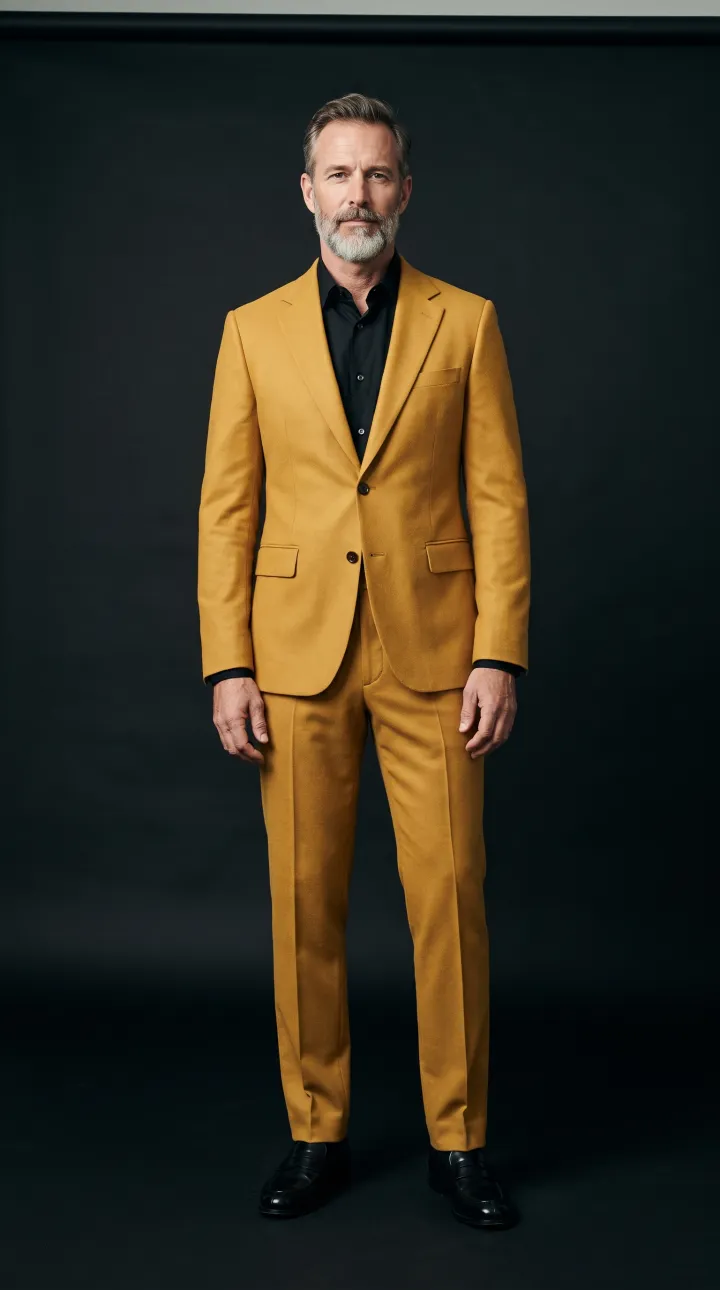
Source photo: Mustard suit

Mustard suit × Hip-hop groove

Same reference dance as clip 01, completely different performer. Tailoring, beard and silhouette carry through every bounce and spin — proof that one routine can drive any character you throw at it.

  • Photoreal
  • Hip-hop groove
  • 10 s · 720p
Studio

Direct the illusion.

Three inputs, one button. Choose a character, choose the motion, describe the scene. Try it with the sample characters and dances below — or drop in your own files.

genjutsu.co/studioPreview
1Character photo
2Motion source
0 / 1000
Render settings
Est. render ≈ 3 min
How it works

From still image to full performance in three steps.

No motion-capture suit, no 3D rig, no animator. Genjutsu separates who is moving from how they move, then recombines them into a video that never existed.

  1. 01

    Upload one photo

    A single full-body image is all Genjutsu needs. Photos, 3D renders, illustrations and anime art all work — the engine reads identity, outfit and style from that one frame.

    JPG · PNG · WEBP
  2. 02

    Choose the motion

    Pick a routine from the dance library or upload any 3–30 second clip. Genjutsu tracks body, hand and face keypoints in every frame to capture each hit, wave and head turn.

    Library · MP4 · MOV
  3. 03

    Direct and render

    Describe the scene, lighting and camera in plain words, set duration and quality, and hit generate. Your character performs the motion in a new, fully synthesized video.

    720p · 1080p · MP4
Pose & hand trackingSkeleton, hands, head orientation
Identity lockFace, hair, wardrobe embedding
Video diffusionFrame synthesis guided by pose
Temporal passFlicker & drift removal
Features

One engine. Every kind of illusion.

Motion transfer, face swap and character swap share the same identity-preserving core, so switching modes never costs you quality.

  • Full-body motion transfer

    Head-to-toe choreography from any reference clip — footwork, spins, freezes and hand gestures — applied to a character from one photo.

  • Video face swap

    Replace a face in any video while keeping expressions, lip movement and head turns. Skin tone and lighting are re-blended per frame.

  • Character swap

    Swap the entire performer and keep everything else — background, camera move, lighting and timing — from the original shot.

  • Identity lock

    Face, hairstyle, tattoos and wardrobe stay consistent across every frame and across chained shots, so your character never drifts.

  • Any art style

    Photoreal stays photoreal. 3D stays 3D. Anime keeps its line art and cel shading. No generic “AI look” overlay.

  • Prompt-directed scenes

    Change the location, lighting, weather or camera with a sentence. Add props and effects without touching the choreography.

  • Dance library

    Start from ready-made routines — hip-hop, K-pop and more — cleaned for motion transfer and ready to apply to any character.

  • Keep original audio

    Carry the soundtrack from the reference video straight into the render, perfectly in sync with the moves.

  • API & batch rendering

    Queue thousands of personalized videos over REST with webhooks — perfect for campaigns, games and in-app features.

Use cases

Built for people who ship video.

From solo creators to agencies, Genjutsu replaces the shoot, the mocap stage and the animation queue with a single upload.

01

Creators & short-form video

Jump on every dance trend without learning the choreography. Post your avatar, mascot or alter ego doing the move the day it goes viral on TikTok, Reels and Shorts.

#AIdancevideogenerator
02

Music artists & labels

Turn a single press photo into a performance clip for a release, a lyric video or a fan challenge. Give every track its own dancing visual without booking a shoot.

#musicvideoAI
03

Brands & advertising

Put your mascot, product character or spokesperson into a routine and localize it for every market. Iterate on creative in hours instead of re-shooting for weeks.

#AIvideoads
04

Games, VTubers & virtual idols

Animate 2D and 3D characters from concept art. Prototype emotes, trailers and idol performances before a single frame of hand animation.

#characteranimationAI
05

Fashion & e-commerce

Show how clothes move. Animate lookbook photos into catwalk and dance clips so shoppers see drape, fit and flow — not just a static pose.

#AIfashionvideo
06

Film, previs & agencies

Block out choreography with stand-ins, swap in the final talent later, and deliver previs and pitch films from reference footage in a single afternoon.

#AIprevis
The guide

Motion transfer vs. face swap vs. character swap

Three techniques that are often confused. Here is what each one actually does — and when to reach for it.

AttributeMotion transferFace swapCharacter swap
What changesThe whole character performs new motionOnly the faceThe whole performer
What staysIdentity, outfit and style from your photoBody, clothes, scene and motionBackground, camera and lighting
Input1 photo + reference motion1 portrait + target video1 photo + scene video
Best forDance trends, avatars, mascotsPersonalized clips, dubbing, cameosRe-casting, previs, localization

What is AI motion transfer?

AI motion transfer (also called pose transfer or video-driven animation) separates appearancefrom movement. The engine reads the movement of a performer in a reference video as a sequence of body, hand and face poses, then renders a completely new video where a different character — defined by a single image — performs that same sequence. Because every frame is synthesized, the result keeps the lighting, texture and art style of the source image rather than looking like a filter pasted over someone else.

It is the fastest way to make an AI dance video from a photo: a hip-hop routine, a K-pop challenge or a viral trend can be applied to your avatar, brand mascot or anime character in minutes, with no motion-capture suit or 3D rig involved.

What is AI face swap?

Video face swap keeps an existing clip intact and replaces only the face. Modern face swapping goes far beyond pasting a mask: Genjutsu tracks facial landmarks frame by frame, preserves the original expression, blinks and lip movement, and re-lights the new face so skin tone and shadows match the scene. Use it for personalized greetings, localized ads and cameo shots where the original performance is already perfect.

What is character swap?

Character swap sits in between. It replaces the entire performer — face, hair, body and wardrobe — while leaving everything else in the shot untouched: the room, the camera move, the reflections on the floor. It is ideal when you love a piece of footage but need a different person, costume or character in it.

Tips for the best results

  • Use a full-body photo with the character standing in a relaxed pose and the feet visible.
  • Keep the reference camera still. Locked-off shots with one performer transfer most cleanly.
  • Match the framing. A full-body photo pairs with a full-body dance; a portrait pairs with a talking head.
  • Avoid heavy occlusion — props or other people crossing in front of the dancer confuse pose tracking.
  • Direct the scene with the prompt, not the choreography: lighting, location and camera moves are all promptable.
  • Going long? Chain multiple 30-second shots with the same identity lock to cover a full 3–5 minute track.
Responsible AI

Powerful illusions need clear rules.

Motion transfer and face swap are creative tools, not a way to put words or moves in someone’s body without asking. These guardrails are built into the product, not bolted on.

  • Consent first

    Every render requires you to confirm you have the right to use the likeness and footage. Animate yourself, your talent, or characters you own.

  • Labeled as AI

    Outputs carry an invisible watermark and content-credential metadata so platforms and viewers can identify them as AI-generated.

  • Public-figure guard

    Uploads of well-known public figures and minors are blocked by default. Deceptive, political and non-consensual content is prohibited.

  • Private by default

    Your photos and videos are private to your account and are never used to train models. Delete them — and every render — at any time.

FAQ

Questions, answered.

Everything you need to know about AI motion transfer, face swap and how Genjutsu works.

What is AI motion transfer?

AI motion transfer takes the movement from one video — a dance, a workout, a gesture — and applies it to a different person or character from a single still image. Genjutsu estimates the full-body pose, hands and head orientation in every frame of your reference clip, then synthesizes new frames of your character performing that exact motion while keeping their identity, clothing and art style consistent.

How is motion transfer different from face swap?

Face swap replaces only the face in an existing video; the original body, clothes and movement stay the same. Motion transfer generates an entirely new video of your character, head to toe, performing the reference motion. Genjutsu does both, plus a third mode — character swap — that replaces the whole performer while keeping the original background, camera move and lighting.

What do I need to upload?

One clear, full-body photo of the character (JPG or PNG, at least 340px on the short side) and a reference video between 3 and 30 seconds (MP4 or MOV, up to 100MB). For face swap, a front-facing portrait is enough. You can also skip the video upload and pick a move from the built-in dance library.

Does it work with anime, 3D and illustrated characters?

Yes. Genjutsu is style-preserving: photoreal photos stay photoreal, 3D renders stay 3D, and anime or cartoon art keeps its line work and cel shading. The showcase above includes a photoreal dancer, a 3D cyber ninja and an anime idol, all driven by the same reference choreography.

How long can a generated video be?

Each render can be up to 30 seconds when the character follows the orientation of the reference video, or up to 10 seconds when the character keeps the orientation of the source photo. Longer performances — full songs of three to five minutes — are produced by chaining shots with a shared identity lock so the character never drifts between segments.

What resolution and frame rate do I get?

Standard renders are 720p; Pro renders go up to 1080p. Output follows the frame rate of your reference clip (typically 24–30 fps) and is delivered as an H.264 MP4 that plays everywhere, with an option to keep the original audio track.

Is it legal and safe to swap faces?

Only animate people who have given you permission — yourself, your talent, or characters you own. Genjutsu blocks uploads of public figures, adds an invisible watermark and C2PA content credentials to every render, and never uses your uploads to train models. See the Responsible AI section for the full policy.

Is there an API?

Yes. Every mode in the studio is available through a REST API with webhooks, so you can batch-render hundreds of personalized dance videos for campaigns, games or apps. Request early access to get API keys.
Cast the illusion.

Genjutsu is opening to creators, studios and developers in waves. Leave your email and what you want to make — we’ll send an invite and free render credits.

No spam. One email when your invite is ready.